Small Arduino bugs worth learning from: an alarm and a climate monitor
One-shot triggers, a bitwise AND that called the sensor every loop, integer-only map(), and what a 10-bit ADC means for a TMP36 reading.
Rayhan M. Project: Oct 2024 Written 4 min read Source on GitHub
The first two EE108 projects at Maynooth were small Arduino Uno builds, each done by a group of five in a few weeks. They’re simple, but both have bugs that teach something real about embedded code. Going back through them now, the interesting part is less what they do and more what they get slightly wrong.
The sketches are on GitHub: Home Security Alarm and Room Climate Monitor.
Project 1: Home security alarm (Oct 2024)
An HC-SR04 ultrasonic sensor watches for movement, a 4×4 keypad takes a passcode, and a 16×2 I²C LCD shows prompts. Entering the code and pressing # arms or disarms it, and three wrong codes latch the buzzer on. I wrote the password-checking logic and the slides.
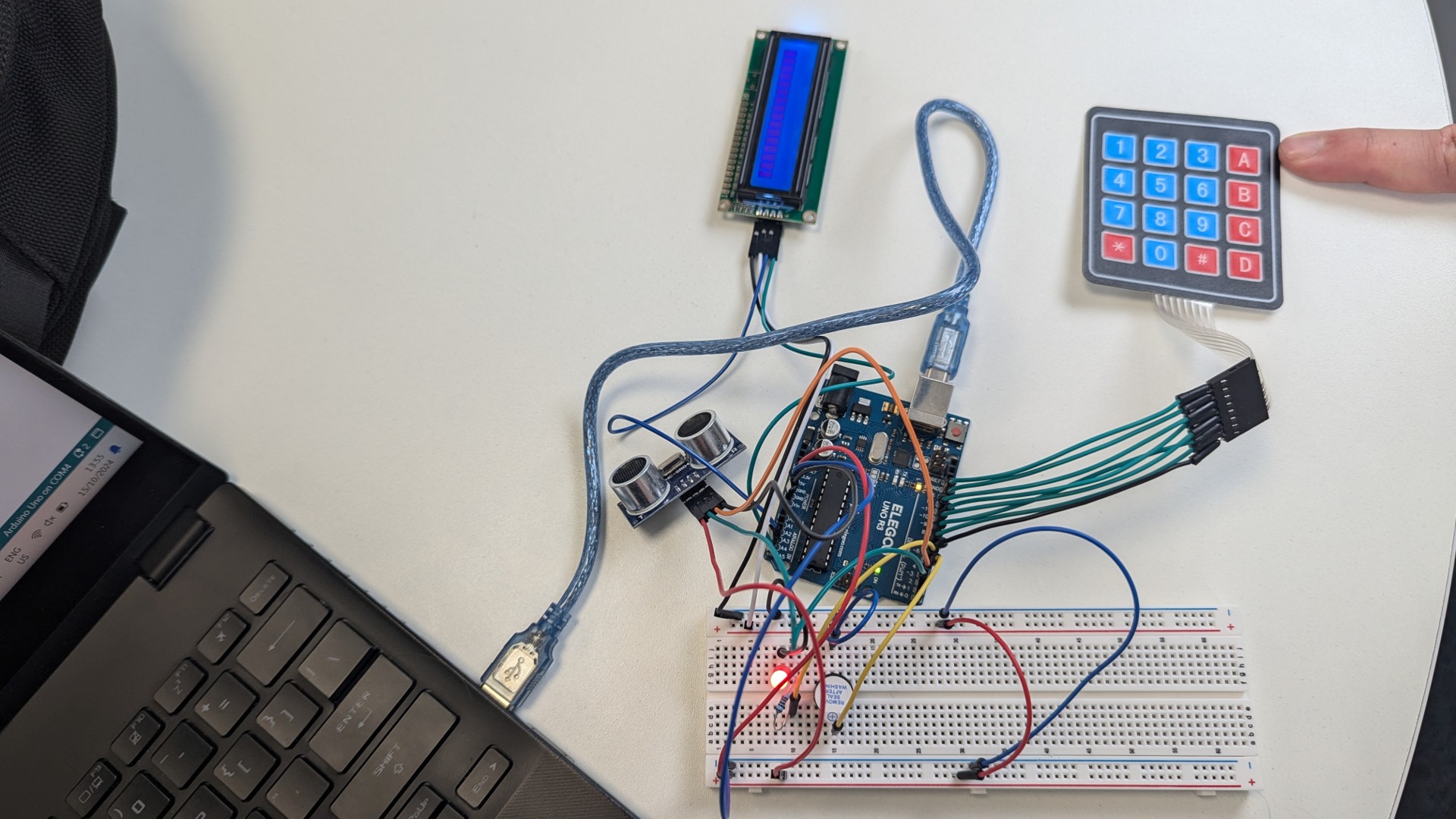
Edge versus level triggering
The first version re-triggered the alarm on every pass through loop() while something was in range, which made it unusable. The fix was a one-shot flag:
if ((readSensor() > 20) & alarmOn & !hasRun) {
  lcd.clear();
  lcd.print("Enter password");
  digitalWrite(BUZZER_PIN, HIGH);
  hasRun = true;          // fire once, not every loop
}
hasRun turns a level (“the reading is past the threshold”) into an edge (“it just crossed it”). It’s reset only when the correct code disarms the system. This is the same idea as debouncing a button, and it comes up constantly in embedded work.
The & that should have been &&
Look at that condition again. It uses &, bitwise AND, rather than &&, logical AND. With bool values the result is the same, but & doesn’t short-circuit: all three operands are always evaluated. So readSensor() runs on every single loop, even when the alarm is disarmed.
That matters because readSensor() calls pulseIn(), which blocks until the echo returns, or for up to a second if it never does. The keypad is polled in the same loop, so slow sensor reads make keypresses feel laggy. Using && with the cheap checks first skips the sensor entirely when it isn’t needed:
if (alarmOn && !hasRun && readSensor() > 20) { ... }
Other things I’d change
delay(5000)when arming freezes the keypad for five seconds. Amillis()-based exit delay would keep input live.- The passcode is hardcoded and compared in plain text. Fine for a class exercise, but a real system would store a hash and let the user change the code.
Stringconcatenation (enteredPassword += key) allocates on the heap. On an Uno with 2 KB of RAM, a fixedcharbuffer is the safer habit.
Project 2: Room climate monitor (Nov 2024)
Press 1, 2 or 3 on the keypad to see humidity, temperature or pressure on the LCD, with a red, green or blue LED showing whether the value is high, normal or low. I worked on the code and the presentation. The kit had a TMP36 temperature sensor but no humidity or pressure sensors, so potentiometers stood in for those.
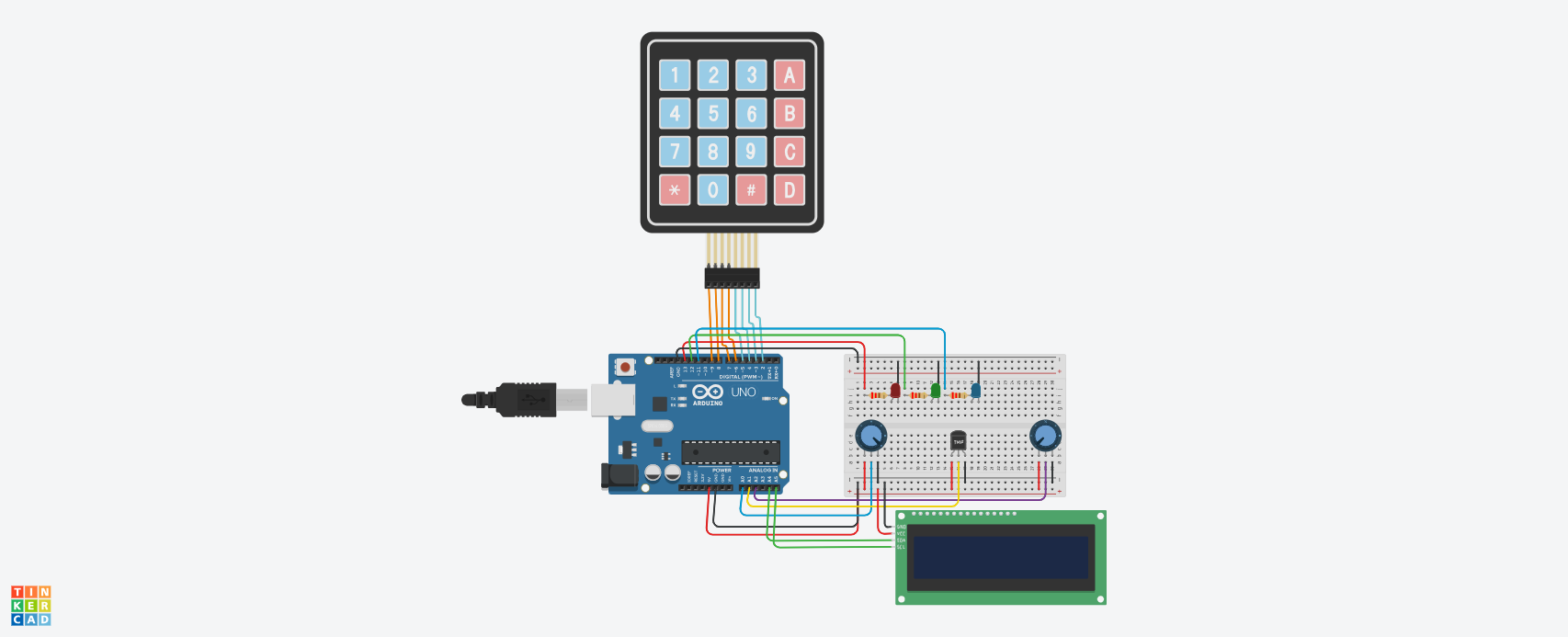
Reading a TMP36 properly
The TMP36 outputs 500 mV at 0 °C and rises 10 mV per degree. The Uno’s ADC turns 0–5 V into a 10-bit number, 0 to 1023, so converting takes two steps:
float voltage = tempValue * (5.0 / 1023.0);   // counts → volts
float temperature = (voltage - 0.5) * 100;    // volts → °C
One count is 5 V / 1023 ≈ 4.9 mV, and the sensor gives 10 mV per degree, so the best resolution this setup can manage is about 0.5 °C. Printing the temperature with two decimal places suggests more precision than the hardware has. Using the Uno’s internal 1.1 V reference would improve resolution about four times for room temperatures.
map() only does integer maths
Humidity and pressure were scaled like this:
float humidity = map(humidityValue, 0, 1023, 0, 100);
map() works in integers, so the fraction is thrown away before the result reaches the float. The LCD showed values like 47.00 %, where the decimals are always zero. Doing the arithmetic in floating point fixes it:
float humidity = humidityValue * 100.0 / 1023.0;
Simulated sensors hide real problems
A potentiometer gives a clean, noise-free, perfectly linear signal. A real humidity sensor needs calibration, filtering and warm-up time, and none of that was designed for. The code works, but it hasn’t been tested against the messy signals it would actually face.
The common thread
Both projects work, and both have the same underlying weakness: blocking calls (delay(), pulseIn()) in a loop that’s also supposed to respond to a keypad. The third project ran into the same problem at a bigger scale, and that’s where I worked out the non-blocking fix.
- #arduino
- #embedded-systems
- #c++
- #sensors